


The till that keeps up with a busy counter
Scan, touch or type. Willpower POS runs on ordinary Windows hardware, works without an internet connection, and handles the awkward sales (the split bill, the layby, the crate of mixed beers, the refund) as quickly as the simple ones.
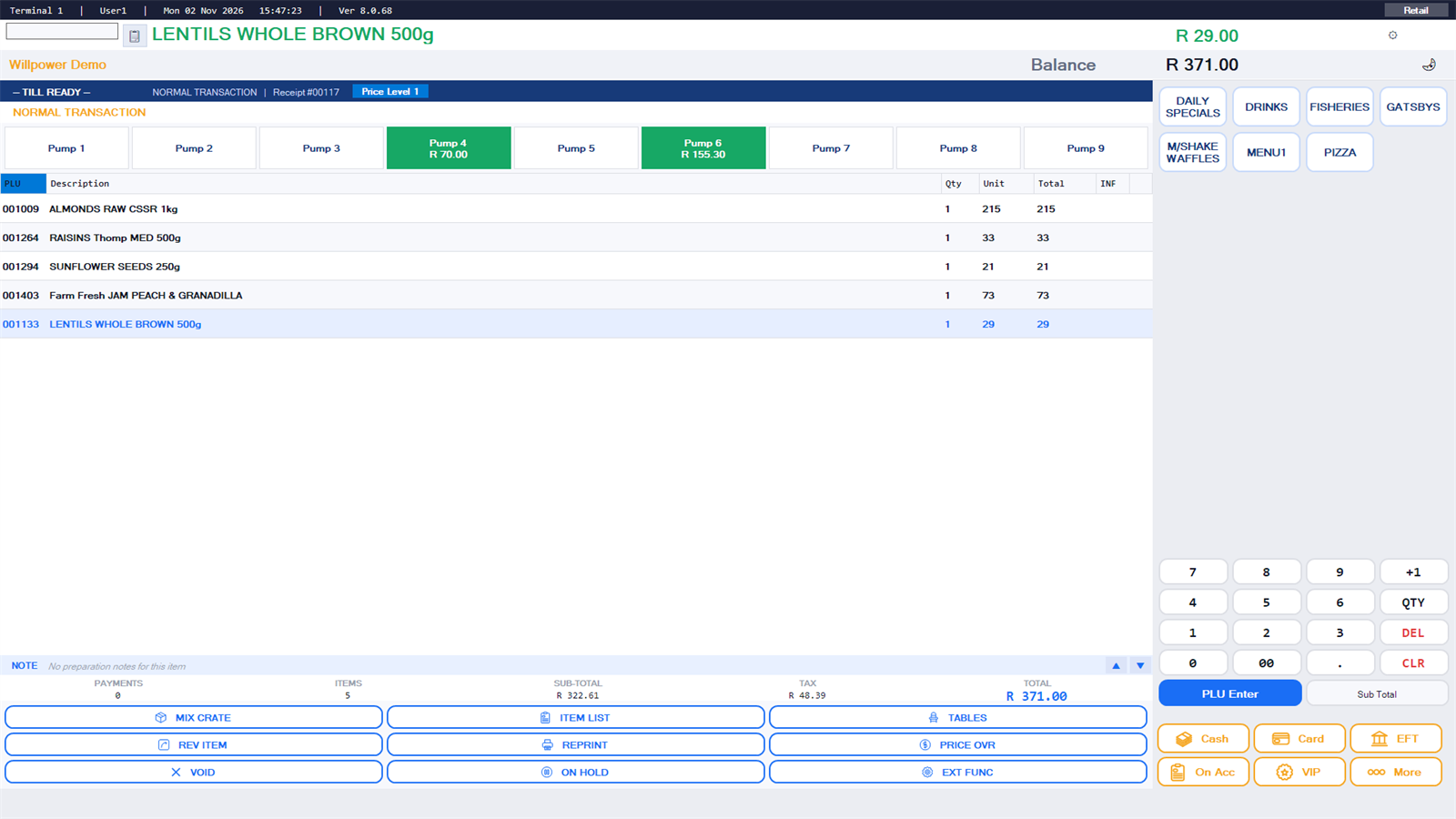
Ringing up
Scan, touch or type
Barcodes, PLU numbers, touch categories and fast keys on the same screen. Scan focus returns to the scanner after every dialog.
Promotions and combos
Date-driven specials, quantity-break pricing, buy-this-get-that combos and specials with a choice of stock item, all applied automatically.
Mixed crates and fractions
Sell a crate of assorted bottles with preset mixes, or sell by the fraction of a unit, and keep stock right.
Open items and price checks
Open-priced items, price override with manager authority, and a price-check screen the customer can see.
Liquor law at the till
Litres-per-transaction limits and trading hours enforced, with a warning, a manager gate and a note on the slip.
Customer display
A second screen or pole display shows the customer each line as it is rung up.
Every way a customer wants to pay
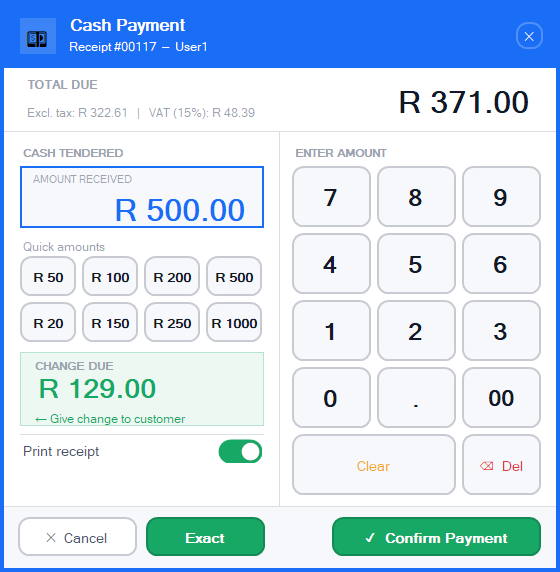
- Cash, card, EFT, account, voucher and VIP credit, split across tenders in one sale
- Integrated card payments through AddPay or Vexen: the amount goes to the terminal, nothing is re-keyed
- Refunds to cash or back to the card, with the original sale looked up by slip number
- Laybys with deposits and instalments, gift vouchers sold and redeemed
- Debtor accounts with credit limits, blocks and finance charges enforced at the till
- Cash drops, pay-outs and a drawer that opens per tender type
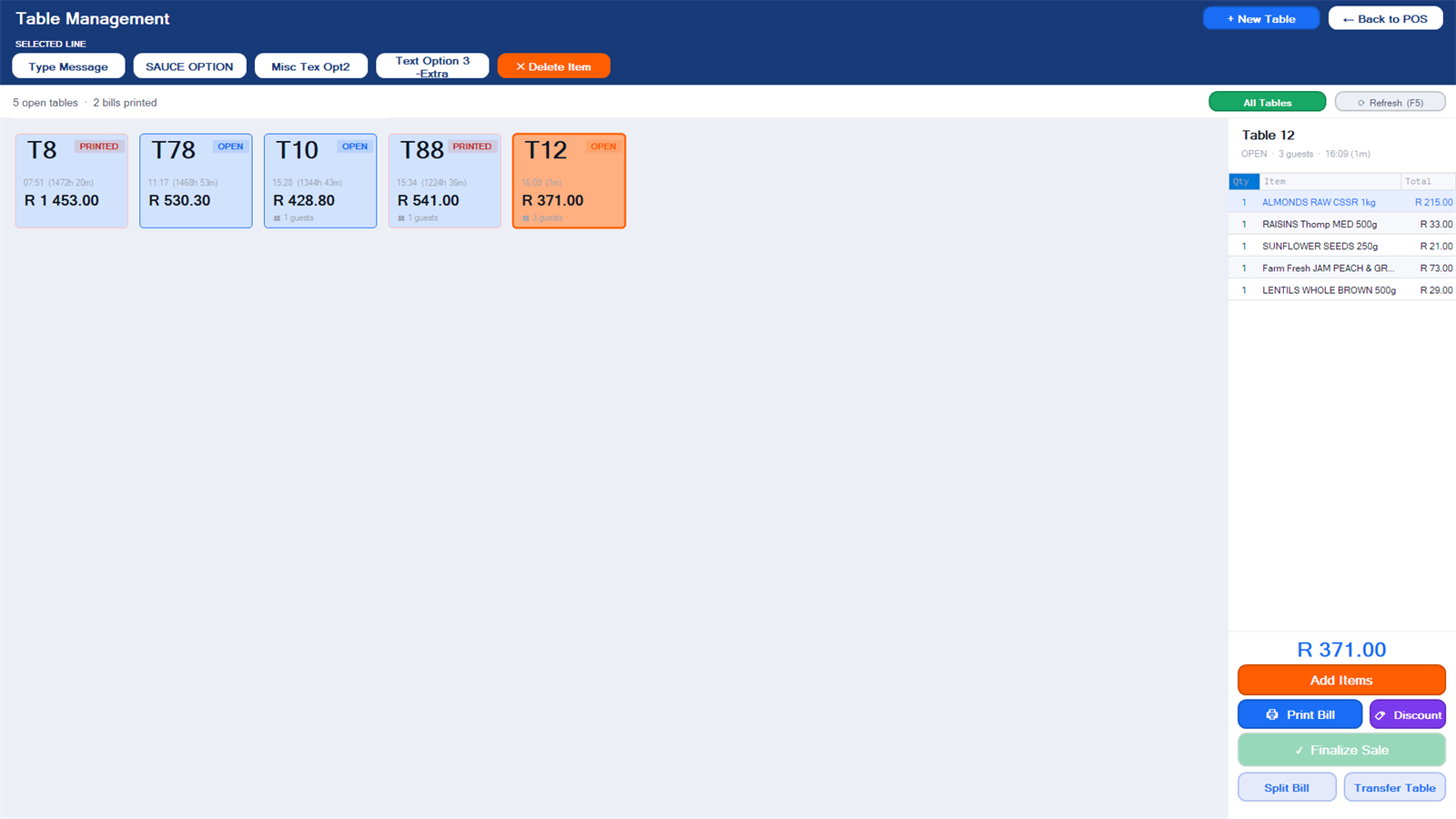
Tables, waitrons and the kitchen
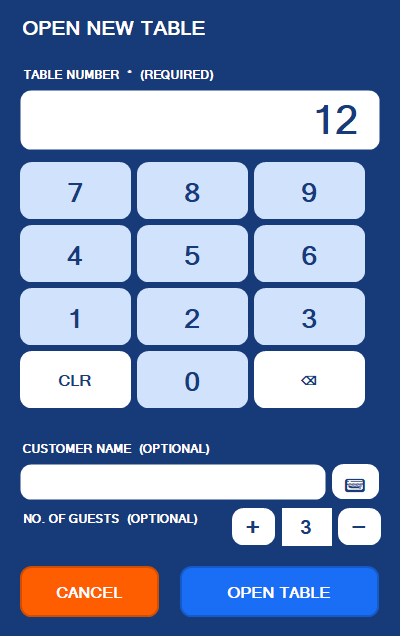
- Table manager with waitron sessions and table ownership
- Orders print to the kitchen and bar printers, with a second kitchen printer per section
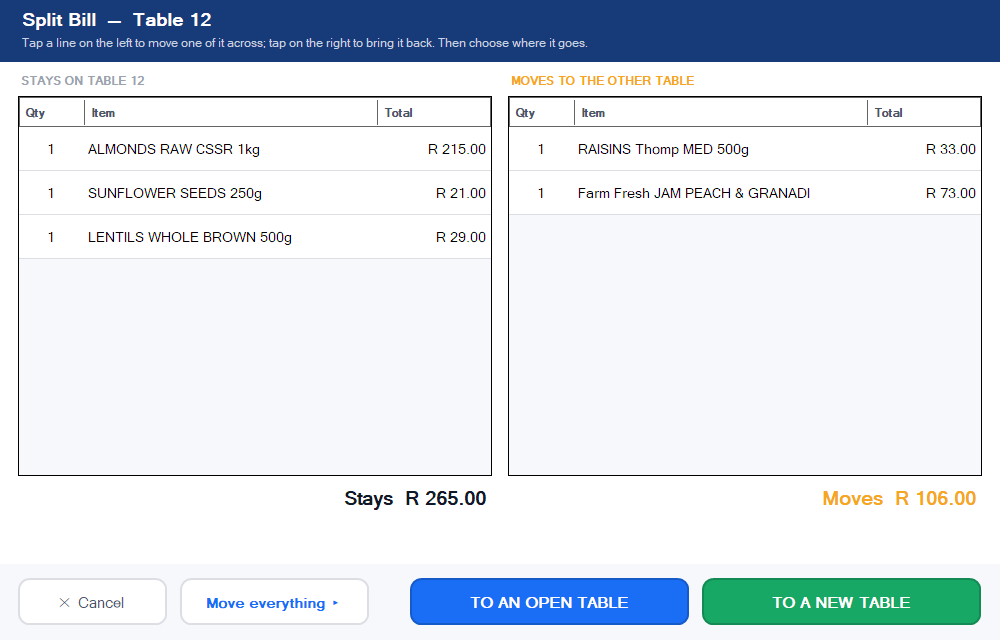
- Move lines, split a bill by item or by share, transfer a table, restore a table closed by mistake
- Proforma slips for the table, tips on card payments
Built for the real world
Works offline
The till runs on its own database. If the line to the back office or the internet drops, trading continues and sales sync when it returns.
Any receipt printer
ESC/POS thermal printers over USB, serial or network, with the right code page for your language, logo and heading. A PDF printer for email receipts.
Access control
Cashier logins by PIN or access card, manager authority for overrides, negative items and refunds, and a full activity journal.
Backups before day end
The till backs up its own databases before Finalise Day, so a day can always be reconstructed.
Touch or keyboard
The same software runs on a 15-inch touch unit, an all-in-one or a desktop with a keyboard and scanner.
Forecourt ready
Link MasterFuel and the pumps appear on the sales screen. See the forecourt page.
A closer look
See the till in action
Book a demo and we will ring up your own products.